
Make it their ticket.
Create ticket types with their own price, tax, quantity and booking window.
CONVENE365
One connected event journey, built on Power Platform. Take a look around the tools that make it happen.
Build the agenda, arrange the rooms and give your team a shared picture. The event lifecycle guides you from Plan to Build, Publish, Run and Close.
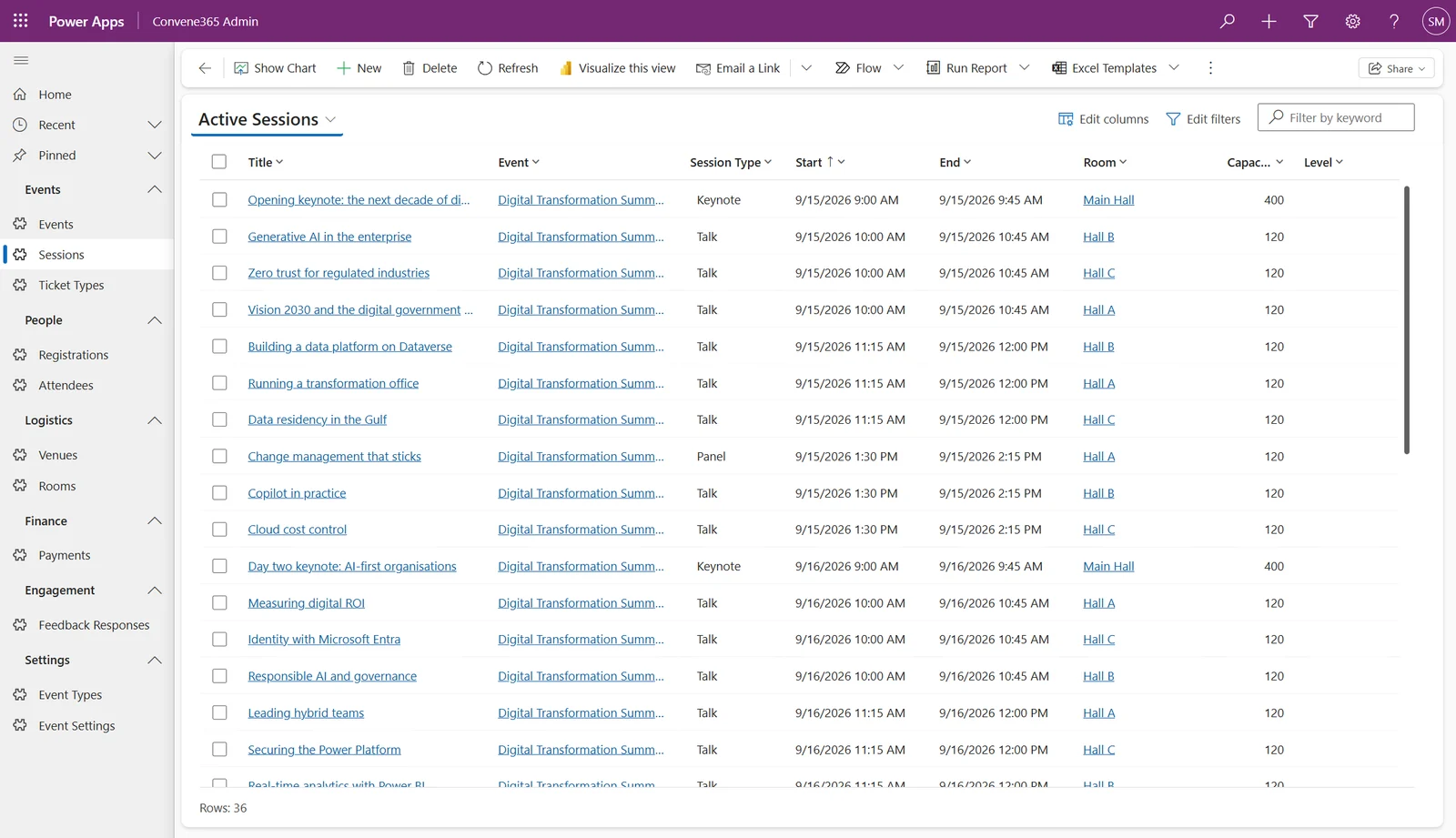
Actual product screen. Demo events and attendees.
Early bird, VIP or student. Set your prices, sales windows and limits. Keep the numbers connected from the moment someone books.
Create ticket types with their own price, tax, quantity and booking window.
Capacity is checked at booking, for both the event and the individual ticket type.
Stripe handles card checkout. Paid bookings are confirmed after payment verification; free bookings confirm instantly.
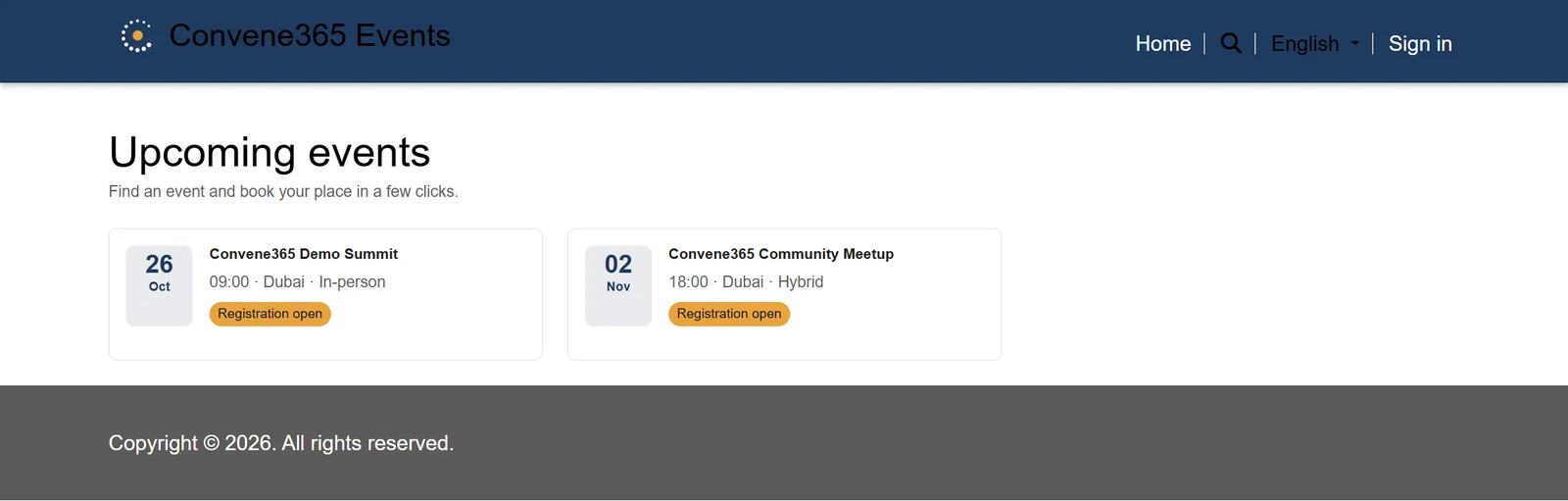
A Power Pages website in your colours, with your logo. Attendees browse, book and come back for their tickets without the email back-and-forth.
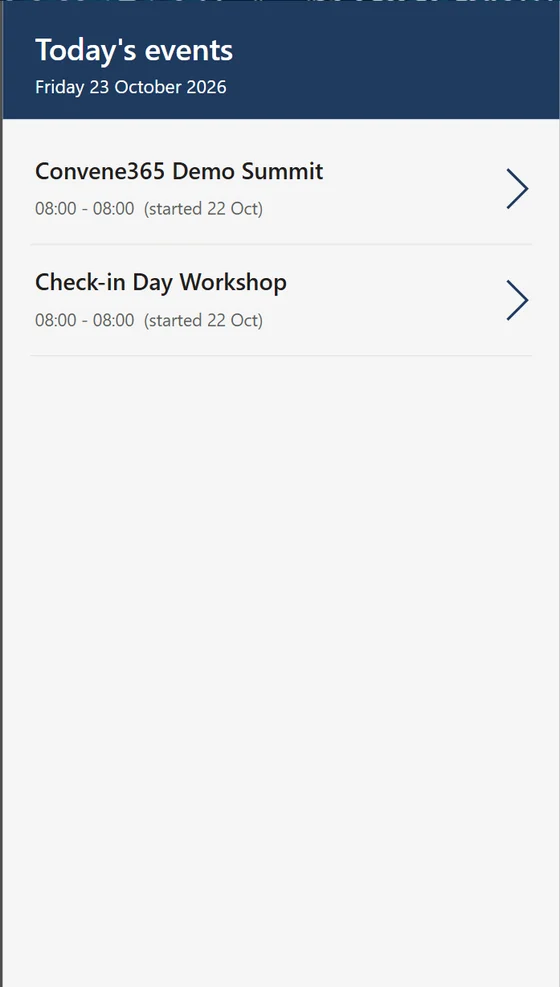
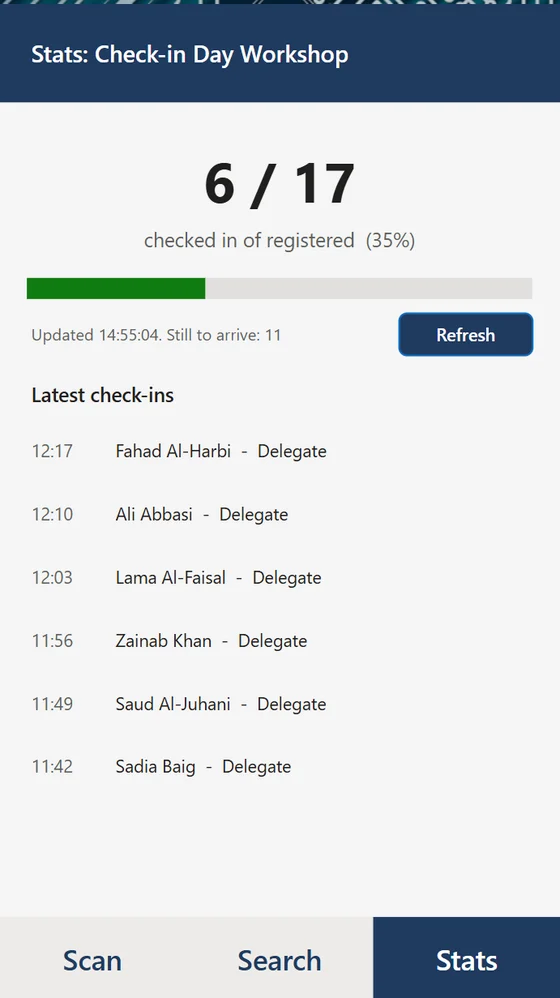
Give the people at the door a tool built for the job. Scan a QR code, see the ticket status and check the attendee in.
When offline, use one device per entrance and reconnect to sync check-ins.
Four Power BI report views, connected to your Dataverse. From the first registration to the feedback after the final session.
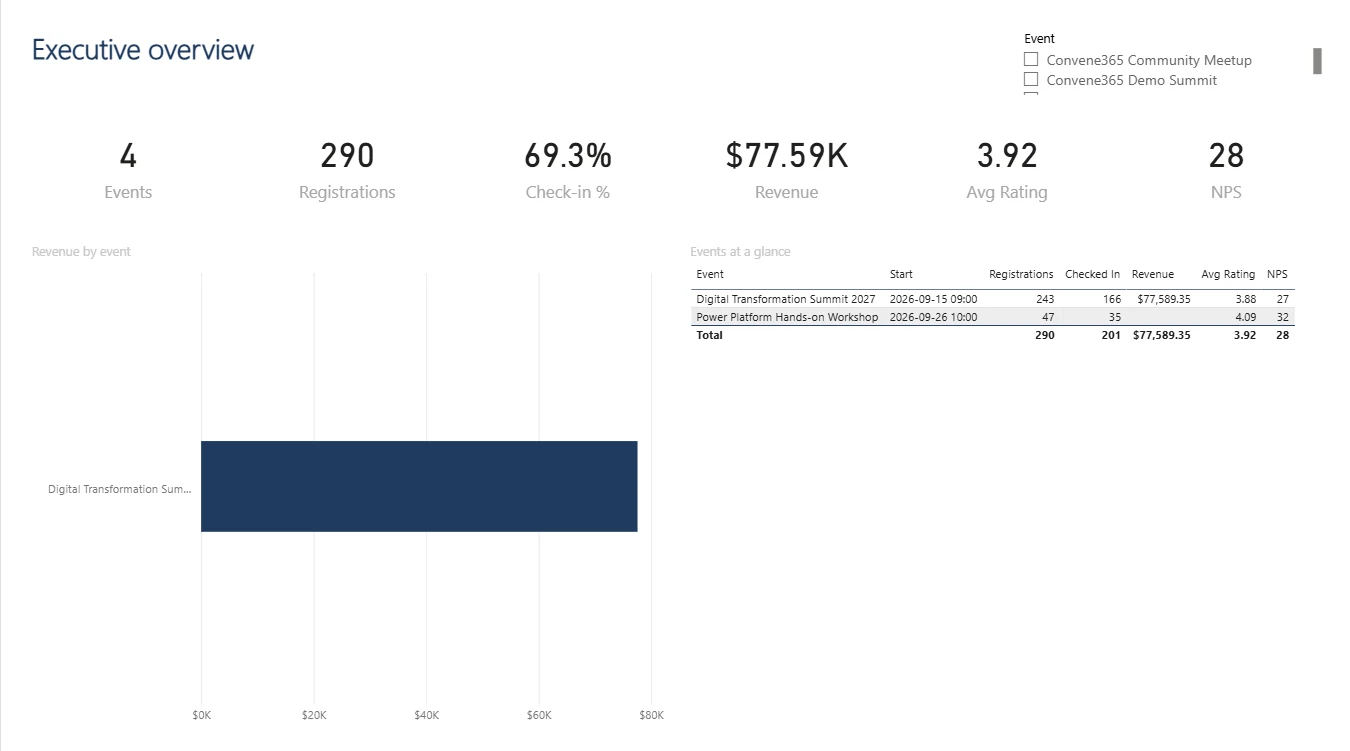
The big picture: registrations, revenue, attendance, ratings and NPS. Screens show demo data.
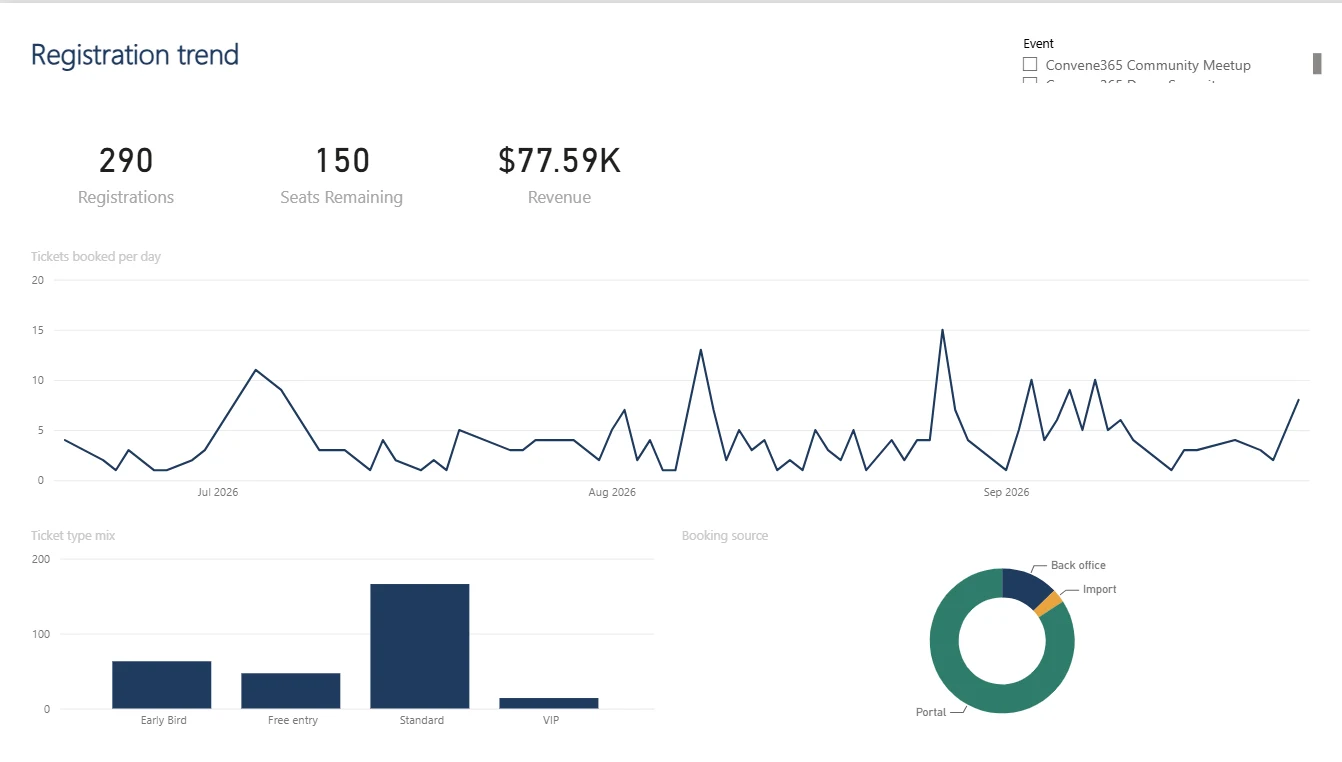
See when bookings happen, which tickets sell and where registrations come from. Screens show demo data.
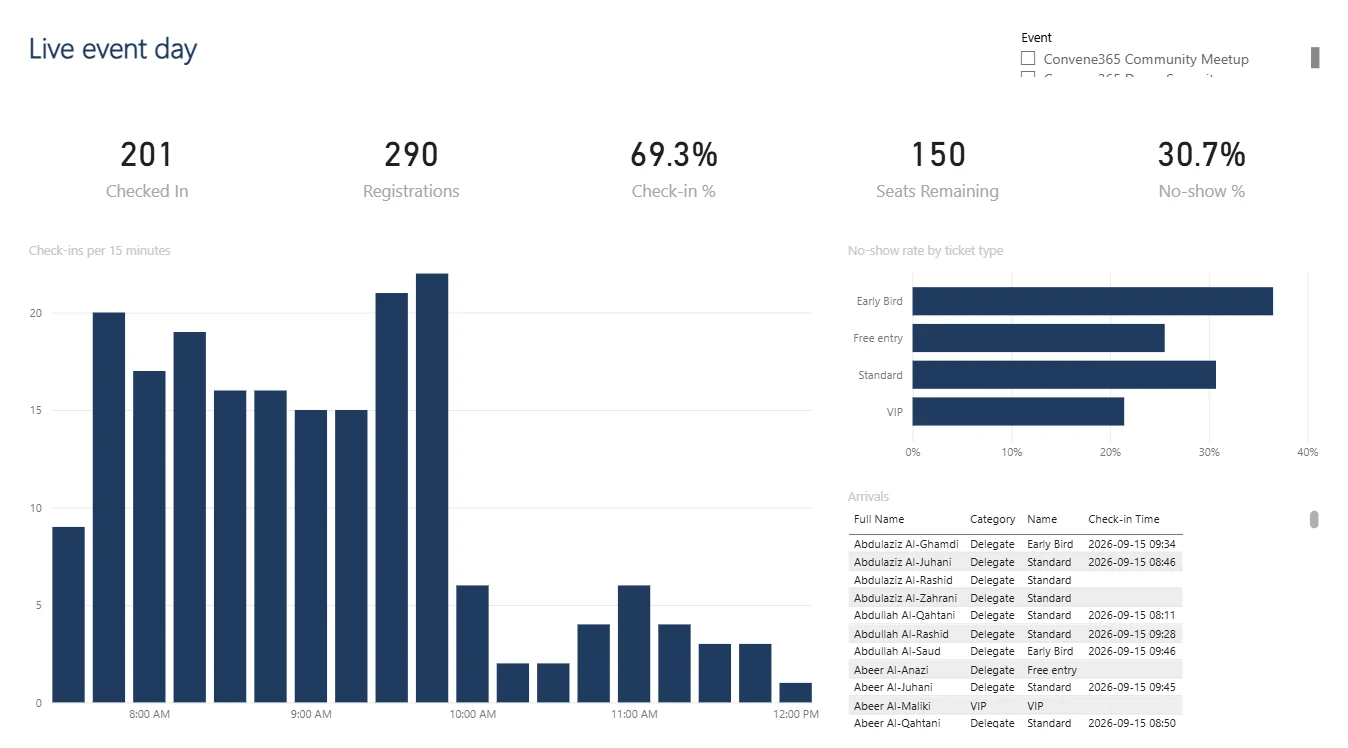
Check-ins in 15-minute intervals, no-shows by ticket type and recent arrivals. Screens show demo data.
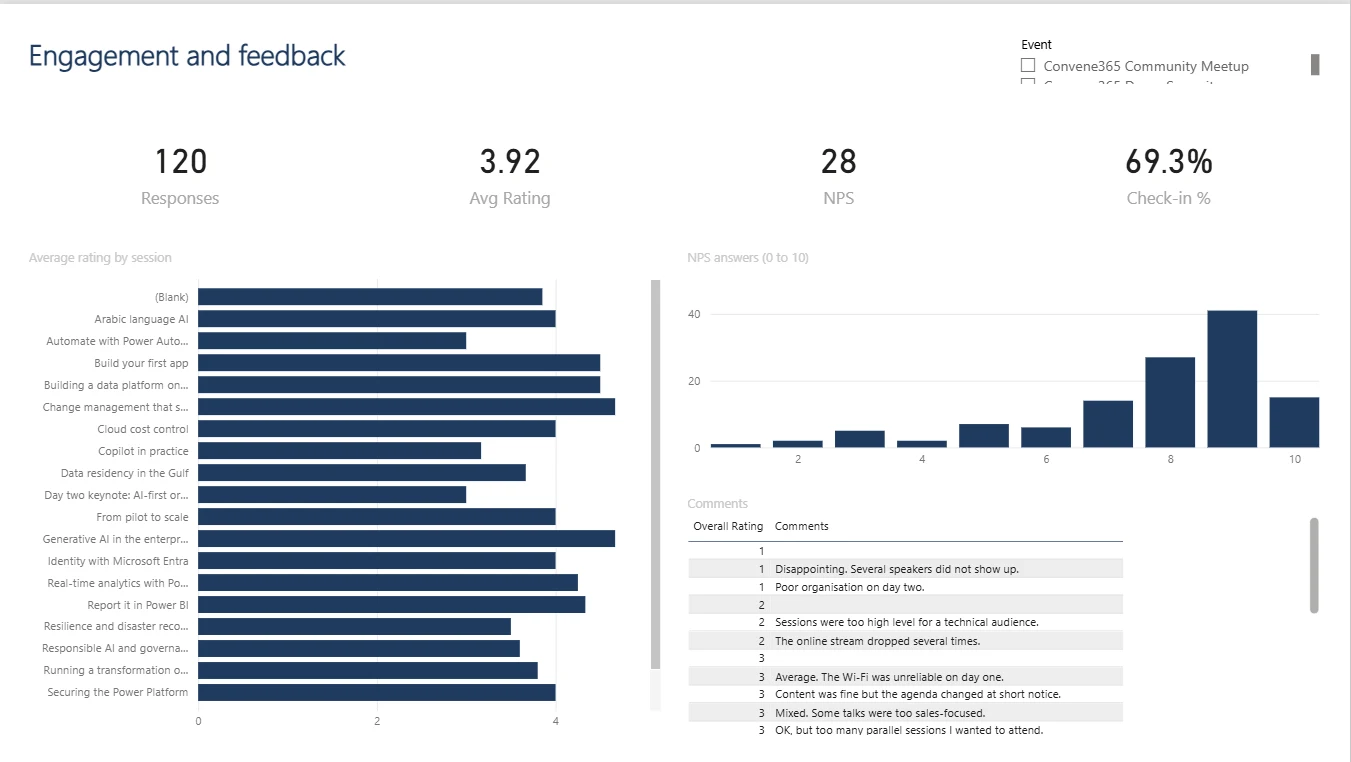
Explore session ratings, NPS responses and attendee comments. Screens show demo data.
Convene365 is installed as a managed solution in your tenant, so your Microsoft policies remain part of the picture.
Six ready-made roles, from Event Manager and Finance to Check-in Staff and Executive.
Prices, payments, totals and budgets are restricted to the finance group.
Record who checked in each attendee and when, with Dataverse auditing for changes.
QR codes carry random tokens, not names or emails. Card details stay with Stripe.
Take a 15-minute look at the whole journey.
From creating an
event to scanning the first ticket.